


Universal TV Remote Control
3.712.00 Reviews
App Specs
- Version
- 2.1.0
- Updated On
- License
- Free
- Downloads
- 100,000+
- Developer
- Wallet Passes Alliance
- Categories
- House & Home
- Platform
- Android
Screenshots
 Analysis by AppCompare
My first impression of Fire Remote TV Control was that it could solve a small but familiar annoyance: having a phone close by when the TV remote is missing, out of reach, or not working. That kind of convenience is easy to appreciate in the first few days. The more useful question is whether it becomes part of my regular TV routine, rather than another app I try once and forget.
Where the first-week appeal comes from
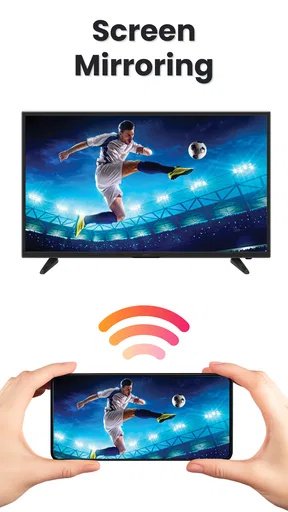
For a household that watches TV casually, controlling it from a phone can feel immediately practical. I can picture settling down to watch something, realizing the remote is across the room, and using the phone instead of interrupting the moment. Its stated focus is controlling a Fire TV and mirroring a phone screen over Wi-Fi, so the appeal is strongest when those are tasks I actually want to do, not merely features I might test out of curiosity.
That distinction matters. A phone remote is not automatically more convenient than a physical remote: I still need to unlock my phone, find the app, and have the phone available. But if I already use my phone while watching, keeping the controls there can make sense. Screen mirroring also gives the app a second possible role, although I would treat it as something to use when needed rather than assume it replaces every other way of sharing content.
What makes it worth keeping around
The app is free to install, and it comes from Exis Solutions LLC. It sits in the house-and-home category, with an Everyone age rating. I see it as a convenience tool for people who want a phone-based way to manage their Fire TV, rather than as a new entertainment service in its own right. That makes its long-term value depend on how often the remote goes missing, how comfortable I am using my phone as a controller, and whether screen mirroring fits into my home routine.
A practical way to judge it is to try the same small routine several times: open the app, connect while both devices are on the same Wi-Fi network, and use the phone for a specific task such as adjusting playback or navigating a menu. If the connection and response feel dependable in the places I normally sit, it may earn a place on my phone. If I only open it to experiment once, the novelty is unlikely to last.
Maintenance, setup, and everyday trade-offs
Because the app relies on Wi-Fi, the home network is part of the experience. If the TV and phone are not connected as expected, the first thing I would check is whether they are on the same network, then whether the connection itself is working. This is a useful troubleshooting habit before assuming the app is broken. It also means the app is not a dependable replacement for a physical remote in a network outage.
For a shared household, there is another trade-off: a phone remote is personal in a way the remote on the coffee table is not. A family member can pick up the regular controller without needing access to someone else’s phone. If several people want to use the app, each person may need to get comfortable setting it up on their own device. I would keep the traditional remote somewhere predictable, especially for guests or anyone who prefers physical buttons.
Worth Reading Before You Choose

Flipboard Shows What News Apps Must Do Beyond the Feed

Switching to Android Auto Means Rethinking Your Driving Routine

Google Calendar Makes a Crowded Week Easier to Manage

Ludo King Makes the Most of the Minutes Between Plans

Baby Panda World Brings Quick Play to Modern Phones, but Its Game Library Feels Busy

ESPN’s Live Game View Makes Following Close Games Easier
The app’s current version is 1.9, and its minimum operating system requirement is 7.0. Those details matter most when deciding whether an older phone can run it; they are less important once the app is already working smoothly. It is free to start, but in-app purchases range from $2.99 to $19.99 per item, so I would check what is included before paying for anything. The rating averages 3.6 from 44 ratings, with 8 written reviews, and it has 10K+ installs. I’d take that as a modest amount of user feedback, not a guarantee that it will behave perfectly on every home network.
Who will find recurring value—and who may not
I think it is best suited to someone who often misplaces the remote, wants a backup control option, or has a real use for mirroring a phone screen to a Fire TV. One everyday example is a person who uses the TV in the evening, leaves the remote in another room, and would rather use a phone already nearby than get up. Another is someone who occasionally wants to show phone content on the television and is happy to use Wi-Fi for that job.
By contrast, I would not choose it as my only control method if I need a remote that works independently of Wi-Fi, or if I strongly prefer tactile buttons and immediate physical feedback. Someone whose TV routine is already served well by the original controller may not gain enough to justify adding another app. And if the main goal is screen sharing, it is worth comparing the app’s actual connection experience with the phone and TV’s built-in options before making it part of a regular workflow.
My experience with Fire Remote TV Control
Ever found yourself frantically searching for the TV remote, only to find it wedged between the couch cushions? Or maybe the batteries died at the worst possible moment? Well, those days might just be over thanks to Fire Remote TV Control. This nifty app turns your smartphone into a universal remote for your TV. Let me tell you about my experience with it and why I think it might be a game-changer.
Setting Up Your New Best Friend
First things first, getting Fire Remote TV Control set up is a breeze. I downloaded it from the app store, and within minutes, it was ready to go. The app guides you through a few simple steps to sync with your TV, and voilà, you’re all set. It supports a wide range of TV brands, so chances are, your TV is on the list.
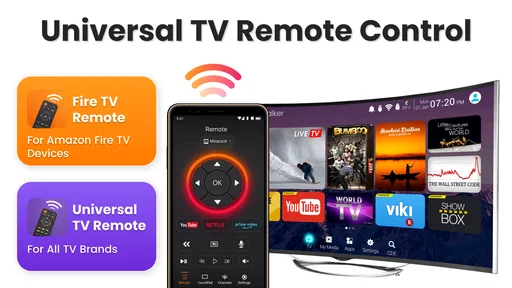
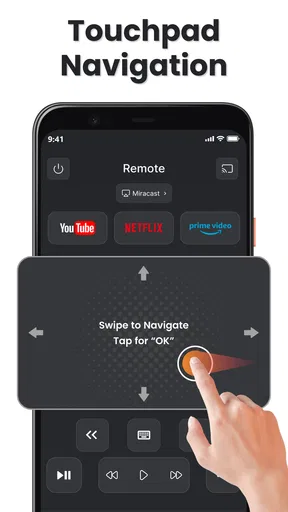
Once you’ve paired it with your TV, the app layout is straightforward and user-friendly. The interface basically mimics a standard remote control but with a sleeker and more modern design. You’ll find all the usual buttons, like volume control and channel navigation, but there are some cool extras too.
Features That Make Life Easier
One of the standout features for me is the voice control. How cool is it to just say what you want to watch and have the TV switch to it? It's like having your own personal assistant. This feature is super handy when you’re juggling multiple things or simply feeling a bit lazy.
The app also offers a keyboard function, which is a blessing when you need to type in searches or passwords. No more painstakingly selecting one letter at a time on the TV screen. I also love the ability to create custom shortcuts for my most-used commands. It’s these little things that make the app feel truly personalized.
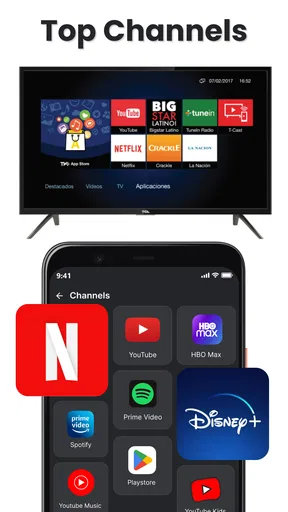
Another great feature is the integration with streaming services. If you’re a binge-watcher like me, you’ll appreciate how Fire Remote TV Control offers seamless navigation through platforms like Netflix, Amazon Prime, and Hulu. It’s like having a universal remote that actually does it all.
A Few Quirks
Now, while I’m singing its praises, it’s only fair to mention a couple of quirks. Occasionally, there’s a slight delay when changing channels or adjusting the volume. It’s nothing major, but if you’re someone who demands instant response, it might take a bit of getting used to.
Also, the app works over Wi-Fi, so if your network is down, you might be out of luck. But really, that’s more of a Wi-Fi issue than an app problem.
Why You Should Try It
Overall, I’d say Fire Remote TV Control is a must-try for anyone with a smart TV. It’s not just about replacing your traditional remote; it’s about enhancing your viewing experience. The convenience of having everything controlled from your phone is hard to beat.
If you’re tired of losing remotes or dealing with dead batteries, this app is definitely worth checking out. Plus, you’ll probably find yourself using the voice control feature way more than you’d expect. Give it a whirl and see how it changes your TV time.
And hey, if nothing else, it’s one less remote to lose!
Does it earn a lasting place?
My long-term verdict is cautious rather than enthusiastic. A phone remote has recurring value when I use it often enough that reaching for my phone feels natural, or when it solves a repeated problem in my household. If the original remote is reliable and always within reach, this app may remain a backup instead of becoming my main controller. That is still a reasonable role, but it is different from replacing the remote entirely.
I would give it a fair trial during ordinary TV use, not just while exploring the controls. Notice whether connecting becomes routine, whether the response delay bothers you, and whether you actually use the extra functions. If those small interactions are smooth, it can be a handy part of a Fire TV setup. If they add steps to a simple task, the familiar physical remote is probably the better choice.
Pros
- Easy to use interface for all ages.
- Quick connection to Fire TV devices.
- Includes voice control functionality.
- Supports multiple device management.
- Customizable remote layout options.
Cons
- Limited compatibility with older TVs.
- Ads can be intrusive at times.
- Requires stable Wi-Fi connection.
- Some features need in-app purchases.
- Occasional lag in response time.
FAQs for Universal TV Remote Control
What is Fire Remote TV Control and how does it work?
Fire Remote TV Control is an app designed to turn your smartphone into a remote control for your Fire TV. It connects via Wi-Fi, allowing you to navigate, play, pause, and control your Fire TV with ease. The app requires both devices to be on the same network for seamless operation.
Is Fire Remote TV Control compatible with all Fire TV devices?
The app is compatible with most Fire TV devices, including Fire TV Stick, Fire TV Cube, and Fire TV Edition Smart TVs. However, it’s essential to check the app’s description in the app store to ensure compatibility with your specific model before downloading.
Are there any additional costs or in-app purchases in Fire Remote TV Control?
While the basic features of Fire Remote TV Control are often free, some advanced functionalities may require in-app purchases. These may include features like voice control or ad-free experiences. Checking the app’s pricing details in the store will provide clarity on potential costs.
How secure is Fire Remote TV Control regarding privacy and data usage?
Fire Remote TV Control typically uses your local network to connect devices, minimizing data usage. However, reviewing the app’s privacy policy is advisable to understand how it handles data and what permissions it requires. Ensuring the app is downloaded from a trusted source also enhances security.
What should I do if Fire Remote TV Control is not working properly?
If the app isn’t functioning as expected, ensure both your smartphone and Fire TV are on the same Wi-Fi network. Restarting both devices can resolve connectivity issues. If problems persist, checking for app updates or reinstalling the app might help. Visiting the app's support page can provide further assistance.


